- Select Start
- Select “Control Panel”
- Select “System”
- Select “Advanced system settings” from the left side of the window
- Select the “Computer Name” tab
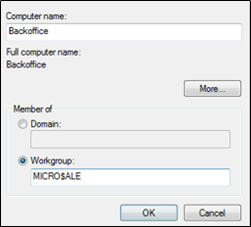
- Select the “Change” button
- Type in the desired computer name as well as the name of the workgroup that all terminals will be assigned to
- Select OK, when finished
- Select OK to close the “System Properties” window