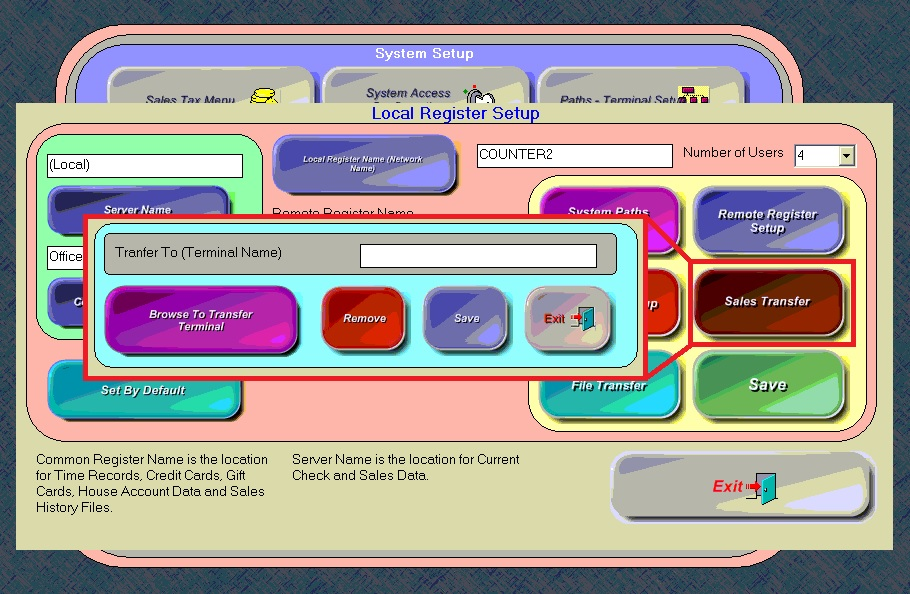
Available in Versions 7-9
The Sales Transfer feature is designed to be used on temporary or mobile terminals that are running “stand-alone”, not connected to the main network or file server, such as a Banquet or Catering terminal.
Sales are rung up locally on the terminal during an event, and then, before that terminal is put back into storage until the next event, it is first reconnected to the network so that its Audit can be closed, and its sales can be merged with the sales data on the file server.
The Sales Transfer feature tells MicroSale to copy the sales data from the local terminal to the file server when an Audit is closed. The terminal must be reconnected to the network temporarily before the Audit is closed. Then it can be powered off and stored until the next event.
- If a terminal is always connected to the file server, then there is no reason to use the Sales Transfer feature.
- If the terminals in a system are all storing sales data locally, and these terminals have the Register Option enabled to poll all registers for sales, as in a Quick Service configuration, then there is no reason to use the Sales Transfer feature.
The only time the Sales Transfer feature should be used is when a terminal is configured to run independently from the main network.
--------------------------------------------------------------------------------------
Location of Function in Version 9
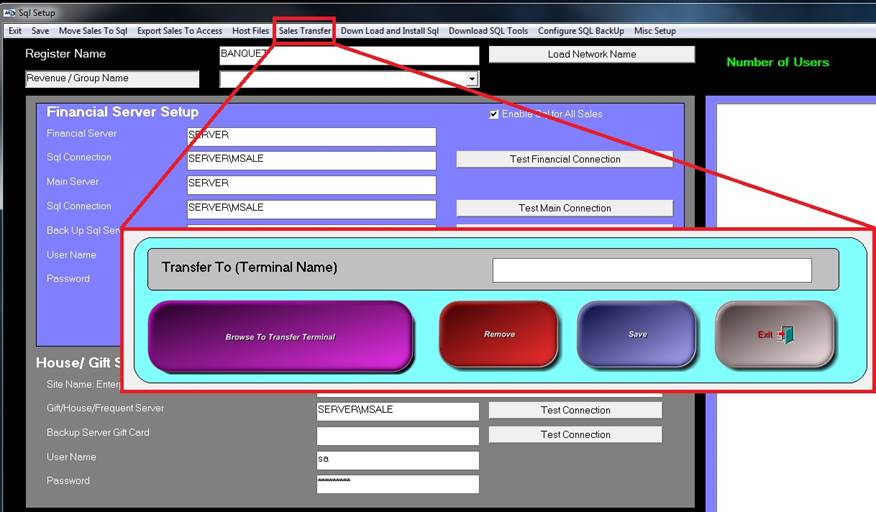
Location of Function in Versions 7-8