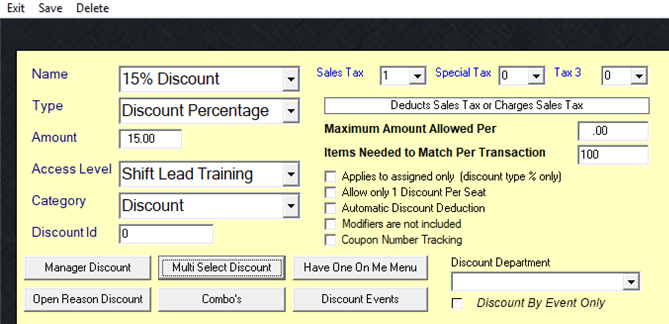
If your discount is selecting ALL items on the check, you will need to edit the setup of your discount.
Go to:
Managers Menu > Discounts, Gratuity and Maintenance > Choose the appropriate discount name > Select the item "Multi Select Discount" and Save.
Multi Select Discount will change the "0" to "100" in the "Items Needed to Match Per Transaction" box.