If you are unable to open MicroSale due to an error relating to "cannot connect to server or cannot connect to SQL", the SQL service may have stopped. This error is typically due to a Microsoft Windows update.
To check if the SQL service is running or to start the service:
- Go to the server or main POS terminal
- Go to your PC's Search bar and type in Services. Alternatively, you can open services from Control Panel > System and Security > Administrative Tools > Services

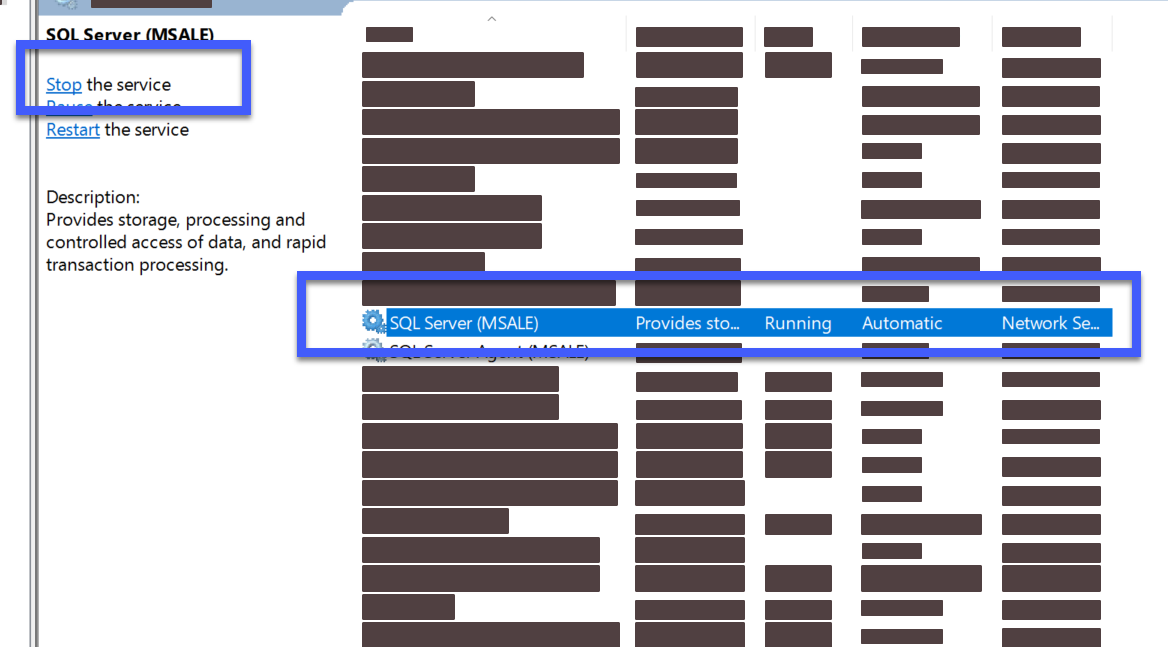
- With the Services application open, scroll through to find SQL Server (MSALE). On the left side, if it says Stop the service, the service is running. It will also say "Running" text to SQL Service (MSALE). If it says Start this service, SQL has been stopped.
- Click on Start this service to enable it.