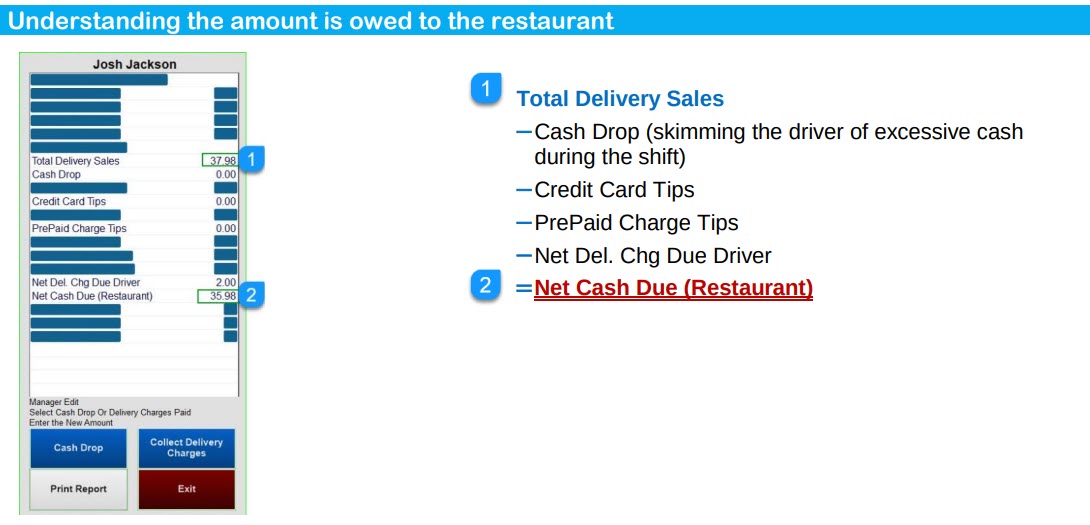
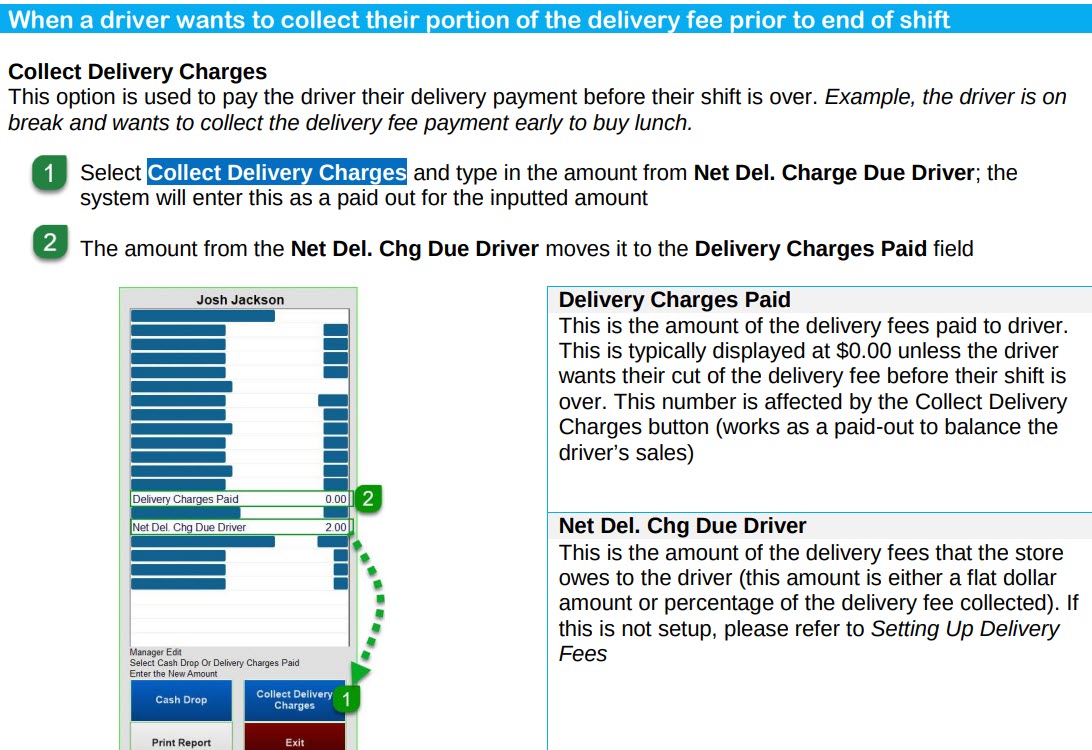
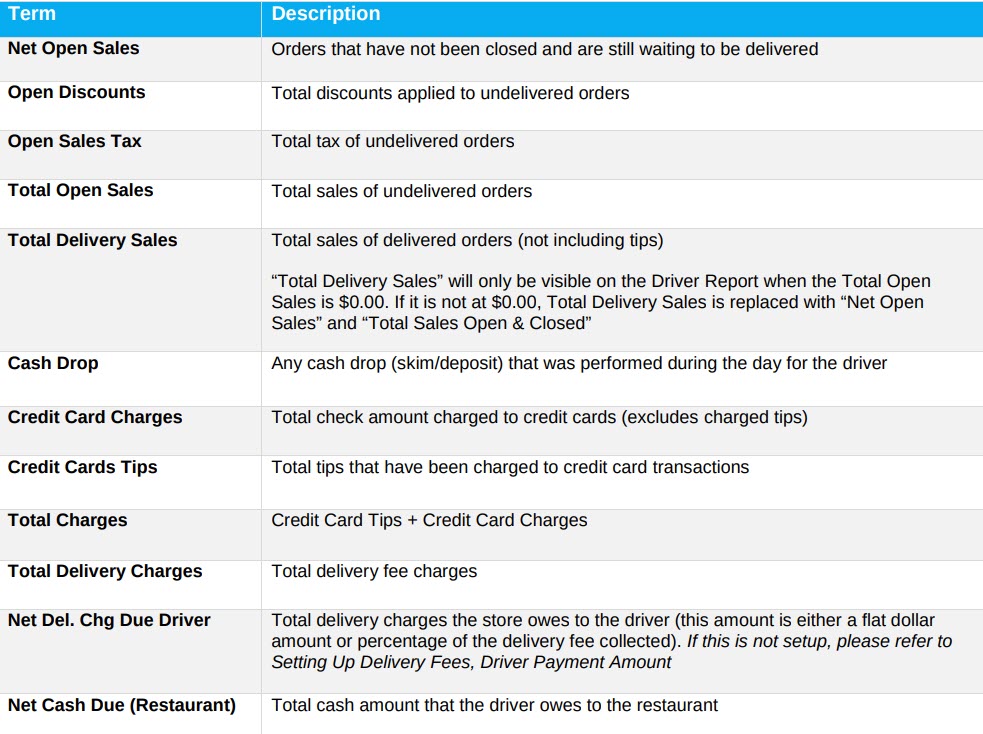
A Driver Report tracks the total sales, tips, and fees a driver has accumulated during his or her shift.
Warning! Driver Sales Reports are different in quick service vs. full service.
In Quick Service, a driver needs to be clocked-in and have the job code of Driver or Manager to be assigned to a delivery.
In full service anyone with an audit can be assigned to a delivery. This report allows the driver to know how much they have made in tips for the day and what is owed at the end of their shift. This report is viewable and printable at any time during the day.
Steps to generate the Driver Report:
- Select Phone Order > Close or Edit Phone Order > Driver Sales Report
- Select a Driver; This window will display a list of everyone who is clocked in that either has the job title of Driver or Manager.