
ID Screen > Managers Menu > Menu Maintenance > Menu Items and Pricing
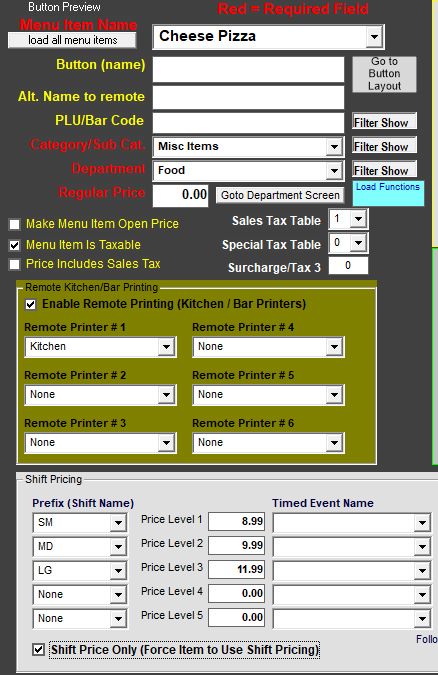
- Type in your item. In this example, type in Cheese Pizza
- Use the drop-downs to select the appropriate category and department name
- Remember, your shift levels (or sizes) are assigned to the category first. You must choose the same category on this screen to populate your shift levels
- Leave the regular price blank. In this example, the pizza price depends on the size chosen.
- If this item needs to print in the kitchen, select Turn on Remote Printing and select Kitchen in the Remote Printer #1 or another name listed in the dropdown
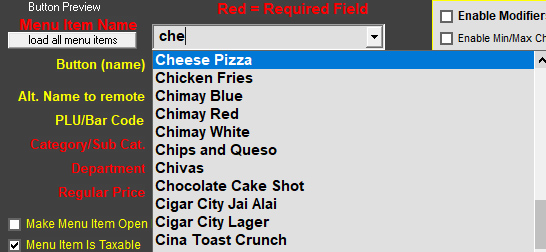
- In the gray shift pricing area, select the dropdown next to the first "Prefix (or Shift Name)" and select SM. If you do not see anything in the drop down, save the item now (bottom right of screen). This means that your database has not yet updated. After you save the item, press the dropdown next to Menu Item Name and select Cheese Pizza.
- Now, in the gray shift pricing area, press the dropdown next to the first "Prefix (or Shift Name") and select SM (or the name you previously saved in the shift pricing section).
- Select the other dropdowns and put a price in for each size. Tick the checkbox for "Shift Price Only". For pizzas, the user must choose a size, so you need to tell the software that the user must select the size for this particular menu item
- It should look similar to this so far:
- Typically pizzas can be modified, so the toppings will need to be programmed.
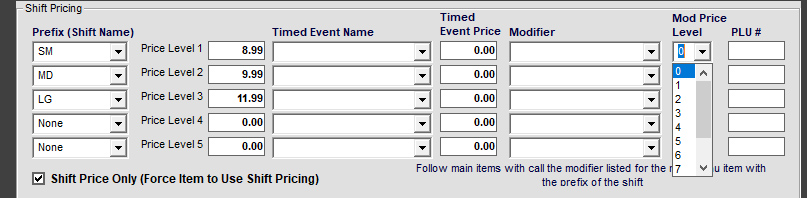
- If the toppings that will be programmed are priced based on pizza size, look to the right of the screen. You'll see a Mod Price Level dropdown.
- The Mod Price Level correlates to the group of toppings that will soon be attached to this menu item. The Price Level chosen matches to the price level of toppings that will be programmed. For example; below we have SM, MD and LG sizes. The SM pizza is going to use toppings that have a group of prices particularly for the SM pizza. So, you would set the Mod Price Level to 1. 1 being the smallest price level. The MD pizza is going to use toppings that have a group of prices for the MD pizza, so the level is 2. In some cases, you may only have 2 sets of price groups for your pizzas, so you may set your MD and LG BOTH to the Mod Price Level 2. This drop down area allows you to control which groups of prices are used.
- Save your item!!
- It should look similar to this so far:
Continue to the next section > Creating multiple sizes for pizzas