
To setup menus by terminal or groups of terminals, you must first create the register groups.
Setup Revenue Centers/Register Groups in MicroSale
ID Screen > Register Setup > Misc Setup-Terminal Groups > Revenue Center Setup
- Type your register group names in the box next to Revenue Center/Groups
- Do not check anything under Job Codes, Tables or Dining Areas. This means the Revenue Centers will be set up by Terminal Assignment when you do the next step.
- Click Save and Exit.
- Go to Managers Menu, Register Setup, Paths-Terminal Setup, System Paths Setup.
- Select the drop-down next to Register Group Name and select the appropriate Register Group for this specific terminal
- Select Save and Exit
- To execute the Revenue Center Report: Go to Managers Menu, Reports Menu, Revenue Centers. You can generate a Daily Report or Week to Date.
Menu by Register Group
- Go to Menu by Job / Register group by going to Managers Meu -> Menu Maintenance -> Menu by Job / Register Group
- Select a register group (by using the dropdown arrow)
- Select Load New
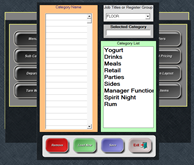
- Begin by selecting a category – after clicking on the category name, it will appear in the “Selected Category” box.
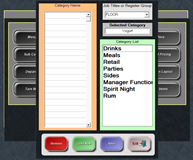
- Left click in the first field under Category Name
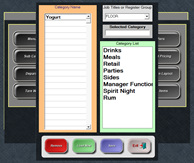
- Continue with steps 3 and 4 until completed
- Save
- Select the dropdown and select a Register Group to ensure the categories are saved