
When setting up a new EMV ready EPay deployment through Datacap’s PSCS website please be aware of the following options so that the correct settings are applied.
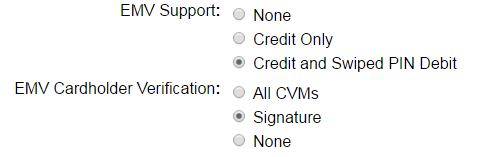
Under the EMV Support section there are three radio buttons to choose from.
- “None”- this option disables the use of EMV pinpads and sets the EPay to standard card processing using a standard keyboard wedge MSR.
- “Credit Only”- allows the use of EMV pinpads and reads all cards as credit. No pin required.
- “Credit and Swiped PIN Debit”- this allows the use of EMV pinpads with credit and debit cards.
Under the EMV Cardholder Verification section there are three radio buttons to choose from. Option 2 is what should always be selected.
- “All CVMs”- requires pin for all card types (credit and debit). This option should not be used.
- “Signature”- prints signature line on all card slips.
- “None”- no customer verification.
All other parameters available under the EPay PSCS are merchant parameter settings that are not unique to the EMV setup environment so no additional instructions are documented.
