If you are having repeated issues with USB powered EMV devices disconnecting or losing power, please follow the steps below on each computer.
- Open Control Panel (or you can select the Start Menu and type in "Control Panel" in the search bar) and navigate to Power Options (in Hardware and Sound).
- In Plans, select High Performance
- Click Change plan settings
- From Edit Plan Settings, click Change advanced power settings.
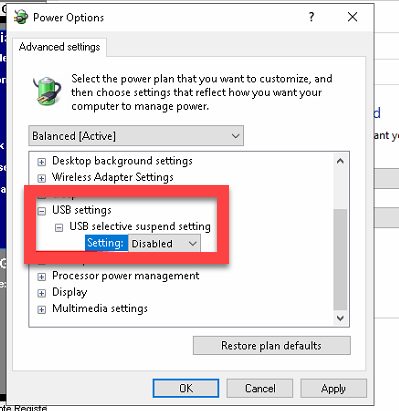
- From Power Options, click on the + to expand USB settings
- Click on the + to expand USB selective suspend setting
- From the Setting drop-down menu, select Disabled
- Click OK