
While you can redeem a discount through the “Discounts” button, alternatively, you can put a discount on a menu button for quicker use.
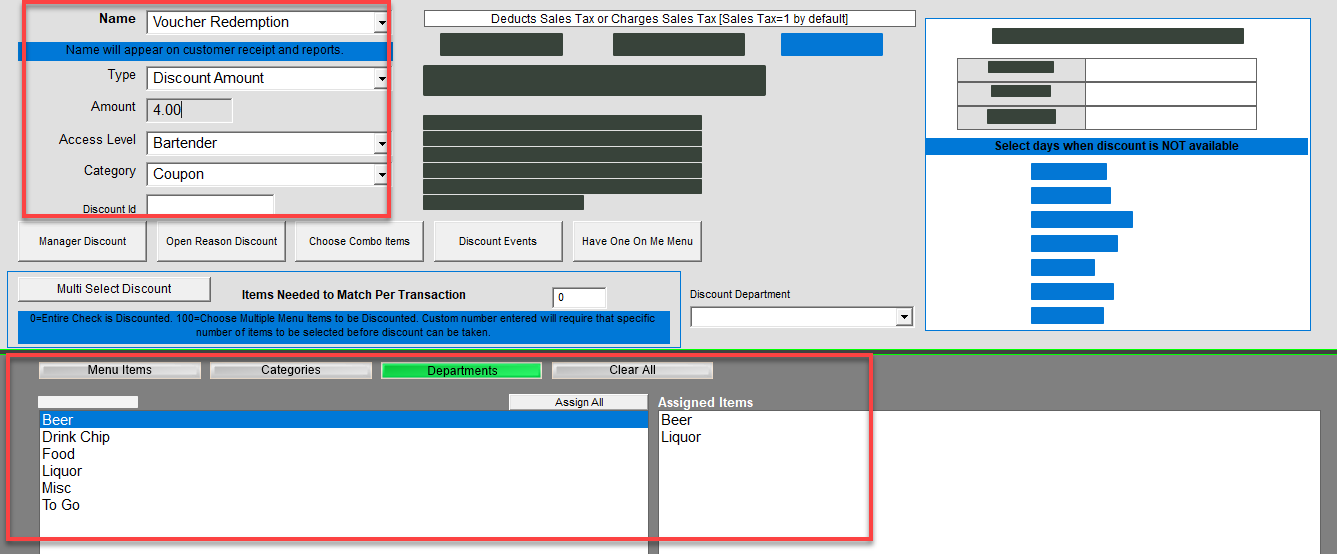
- Create a discount – you can name it anything you’d like such as “Voucher Redemption”. You can use any discount type.
- Type in the discount name in the Menu Item Name field identically to the Discount name (you must already have the discount created). Managers Menu > Menu Maintenance > Menu Items and Pricing
- Choose the category that you want to see this discount in
- Choose Discount as the department
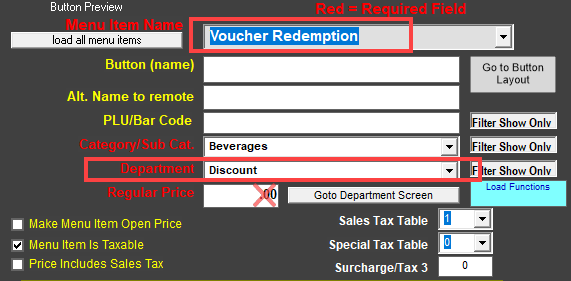
- Leave the regular price and all other components blank.
- Save when completed.
- Go to the Button Layout screen and add the discount to a button.