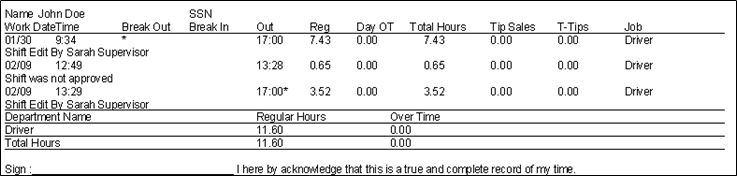
Daily Overtime calculations are used when a company pays employees time-and-a-half after working a specific number of hours within a 24-hour period. This feature is most commonly used in California-based companies.
Configuring the system to use the Daily Overtime
- Go to the Managers Menu > Register Setup > Register Options by Terminal
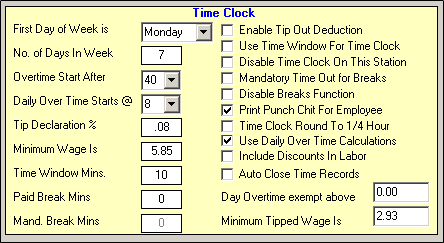
- Select the “Time Clock / Misc” tab from the bottom of the screen
- Select the checkbox for “Use Daily Over Time Calculations”
- Select an amount from the “Daily Over Time Starts @” dropdown box (Example: 8 hours)
- Select Save