
Typically the sales tax is setup by your MicroSale representative prior to installation. However, if you need to change or add the tax rate, please follow this article.
By default, all of your menu items are already assigned to the "Sales Tax Table 1" which is your standard sales tax. However, you need to make sure you have a tax rate entered in your system.
Go to: Managers Menu> Register Setup> Sales Tax Menu
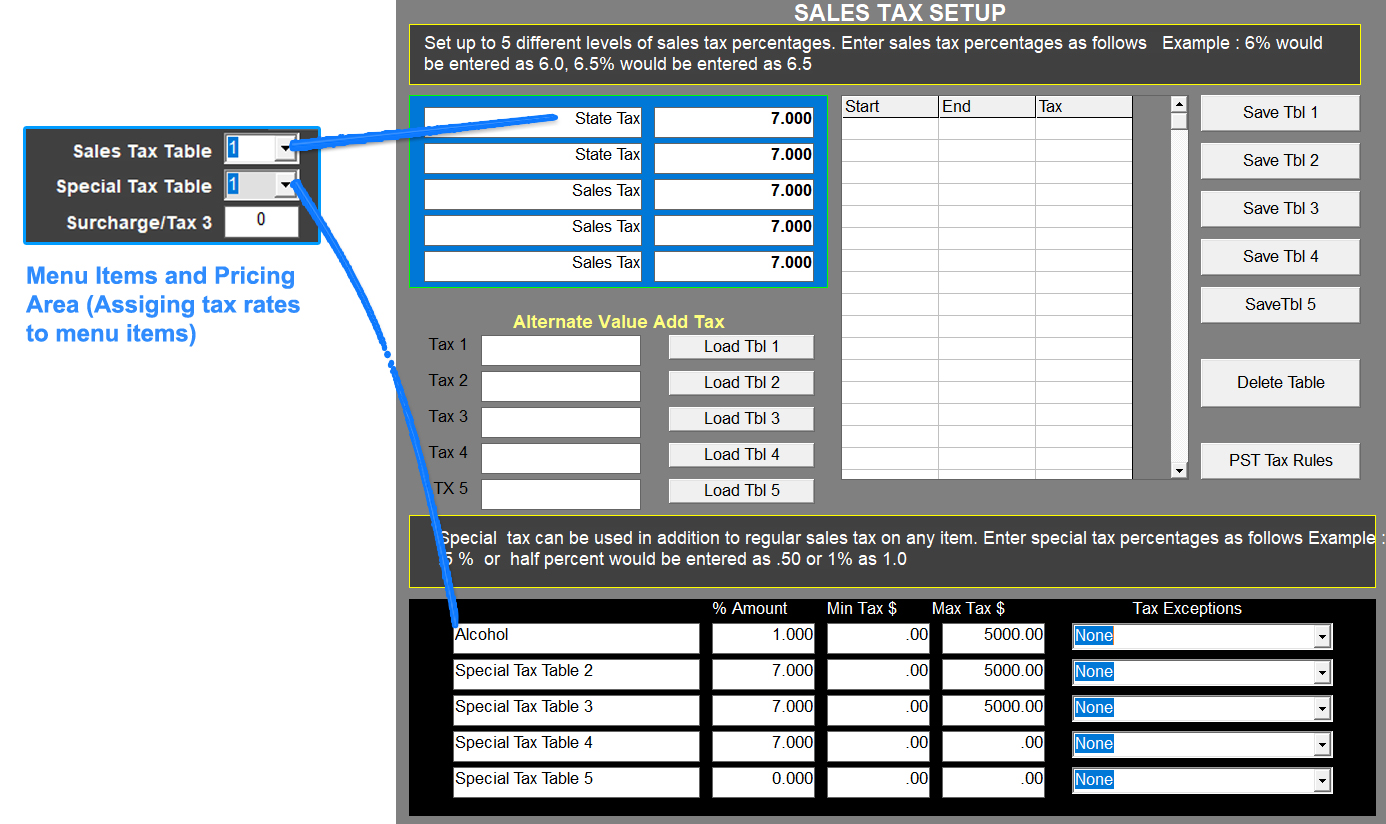
To Change or Add a Sales Tax:
- Use your mouse and left click in the first field to the right of "Sales Tax".
- Use the back space on your keyboard and delete the current rate
- Type in the correct rate without a percentage sign. For example, 6% is 6.0, 7.5% is 7.5, 8.25% is 8.25
- Select Save (top left corner)
- Restart MicroSale on all terminals (Managers Menu > Register Setup > Exit to Windows) > Double-click MicroSale icon