Each city/state has their own rules about taxing products. This article goes over complicated tax rules where 'on premise' eating is taxable, to-go is non-taxed and specific items whether dine-in or to-go is always taxed (or not taxed)
For example, in Ohio, prepared food that are consumed on the premises (dine in), are taxed but to-go food, drive-thru and call in orders are non-taxed. Certain drinks are considered "Food" and follow the same rules as food where as sweet tea, and any altered drink that has been sweetened, is taxable.
In this article:
Examples for to go taxing in Ohio:
| Drink | Food (non-taxed) | Non-Food (taxed) |
| Canned/bottled drink - no milk or milk substitute | X | |
| Canned/bottled drink - with milk or milk substitute | X | |
| Plain coffee or tea | X | |
| Coffee or tea with milk, creamer, milk substitute | X | |
| Coffee or tea with any sweetener | X | |
| Soda | X | |
| Juice (over 50% real juice) | X | |
| Juice (less 50% real juice) | X | |
| Water | X | |
| Water with sweetener | X |
How to set up tax rules in MicroSale
Go to Managers Menu > Register Setup > Sales Tax Menu
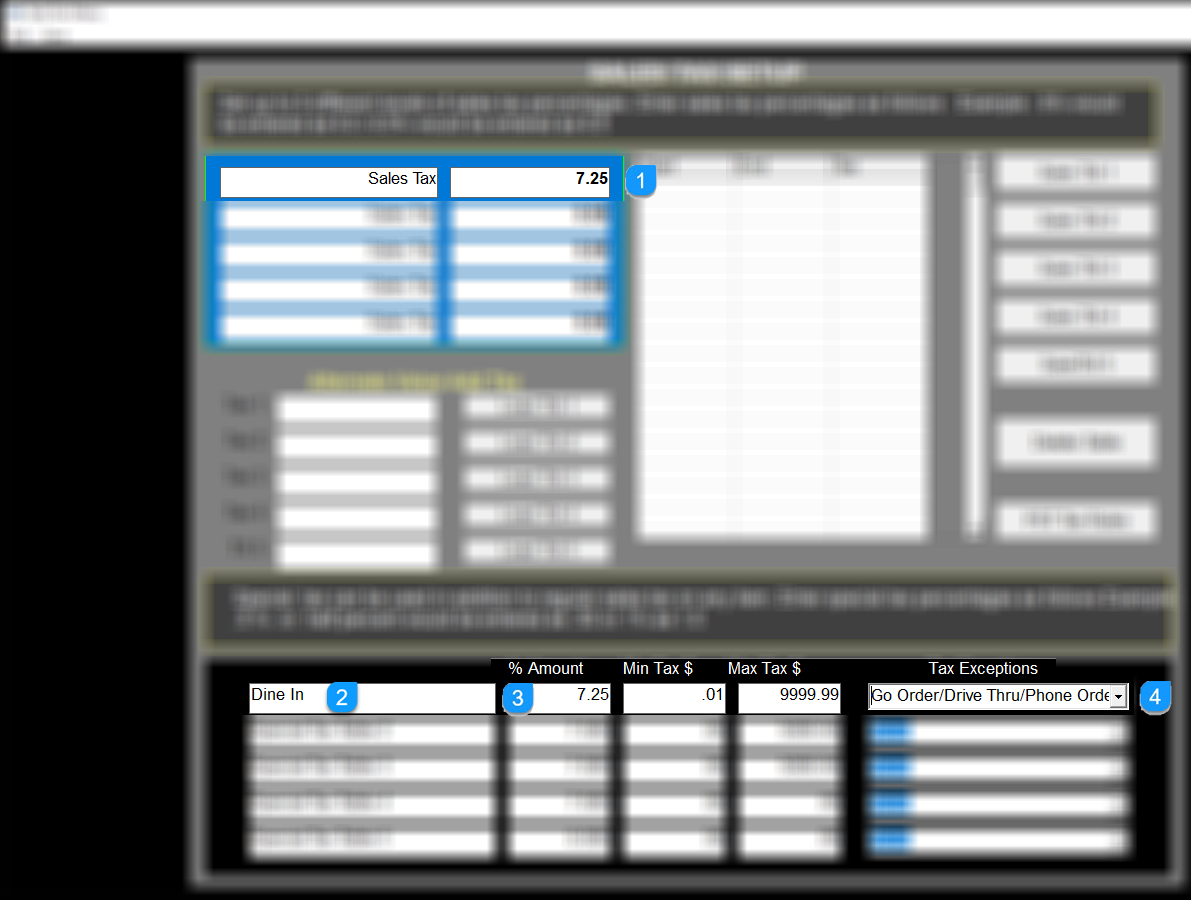
- In the top sales tax area, type in your regular state tax such as 7.25 (reference image in #5)
- In the Special Tax setup area, type in "Dine In" (or another name) and the same tax rate as your regular state tax. Hint: the "Dine In" label will appear on customer receipts for on premises eating and appear as Tax Exempt when the order is to go.
- Set the Min Tax $ to .01 and Max Tax $ to 9999.99
- In the tax exception area, select the dropdown and choose the appropriate exemption. For Ohio, choose Go Order/Drive Thru/Phone Order
- When finished, select Save (upper left side of screen)
Assigning Menu items to the exception tax table
- Now go to Managers Menu > Menu Maintenance > Menu Items and Pricing
- Choose a menu item from the dropdown menu
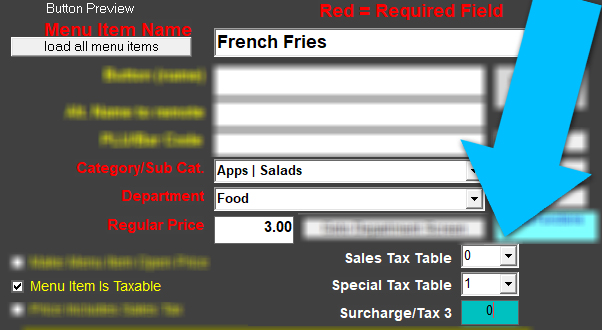
- If this menu item follows the "exception rule" where the item may be taxed or not taxed, depending on the order type (dine in taxed, to go not taxed), set the "sales tax table" to 0 and "special tax table" to 1.
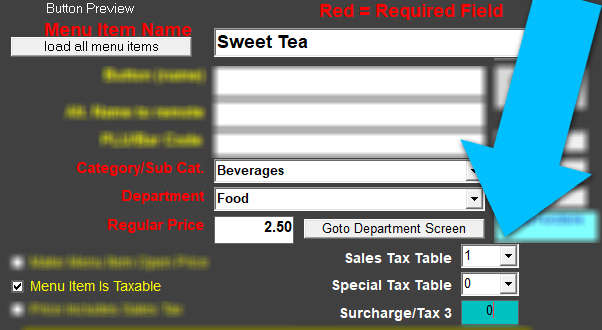
- If this menu item is always taxed, such as Sweet Tea, you can use the standard tax of "Sales Tax Table" and set it to 1, and set the "Special Tax Table" to 0.