
By default, the tax exempt function allows you to remove tax on individual items or the entire check and this setup article is not necessary. However, if your city/state has specific rules on tax exemptions and you need to set the system to only allow a specific tax table to be removed, follow this article or contact your MicroSale representative to set it up for you.
In Version 9 and Version 10, you can configure the "Tax Exempt" function (By default, strips items on the check of tax) to only exempt tax on a specific tax table. This is useful for restaurants that may have a county tax that must be applied to an order, even if the order is exempt from paying all other taxes.
Go to: Managers Menu > Menu Maintenance > Menu Items and Pricing
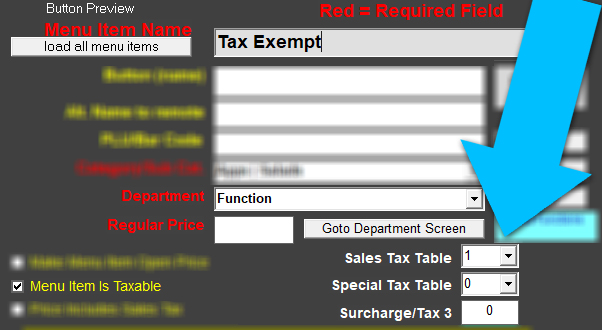
- Create a menu item name called Tax Exempt (you must use this exact spelling)
- Set the regular price at $0.00
- Choose any category of your choosing
- Choose the department to Function (you must use this department)
- Choose the tax rate that is allowed to be removed such as "Sales Tax Table 1". If the Sales Tax Table 1 should never be removed, set this number to 0. And if you can exempt a special tax, set it to 1.
- Save