
Send/Stay allows you to fire all items to the kitchen/bar while staying on the check. This is ideal when entering items for large parties or ringing in items by section. Example, when ringing in food and drinks together, you may want to ring the drinks and fire them to the bar while continuing to ring in the food.
Send/Stay is available in full service settings only.
- When you are ready to send items to the kitchen or bar, select Send – Stay
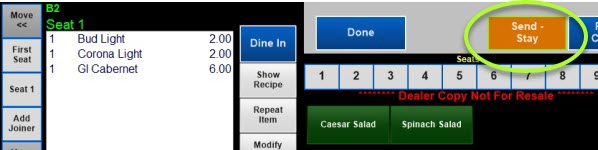
- The items will now appear red with an * in front to signify the items have been fired to the kitchen or bar (print check and close check disappear)
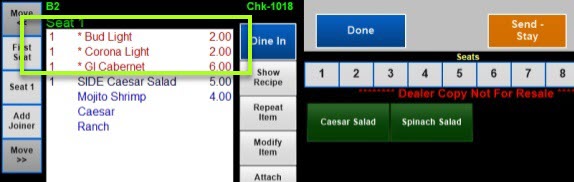
- Continue to ring in the additional items. Select Done when complete (you can use Send – Stay again or Done will send the items and exit the check)